
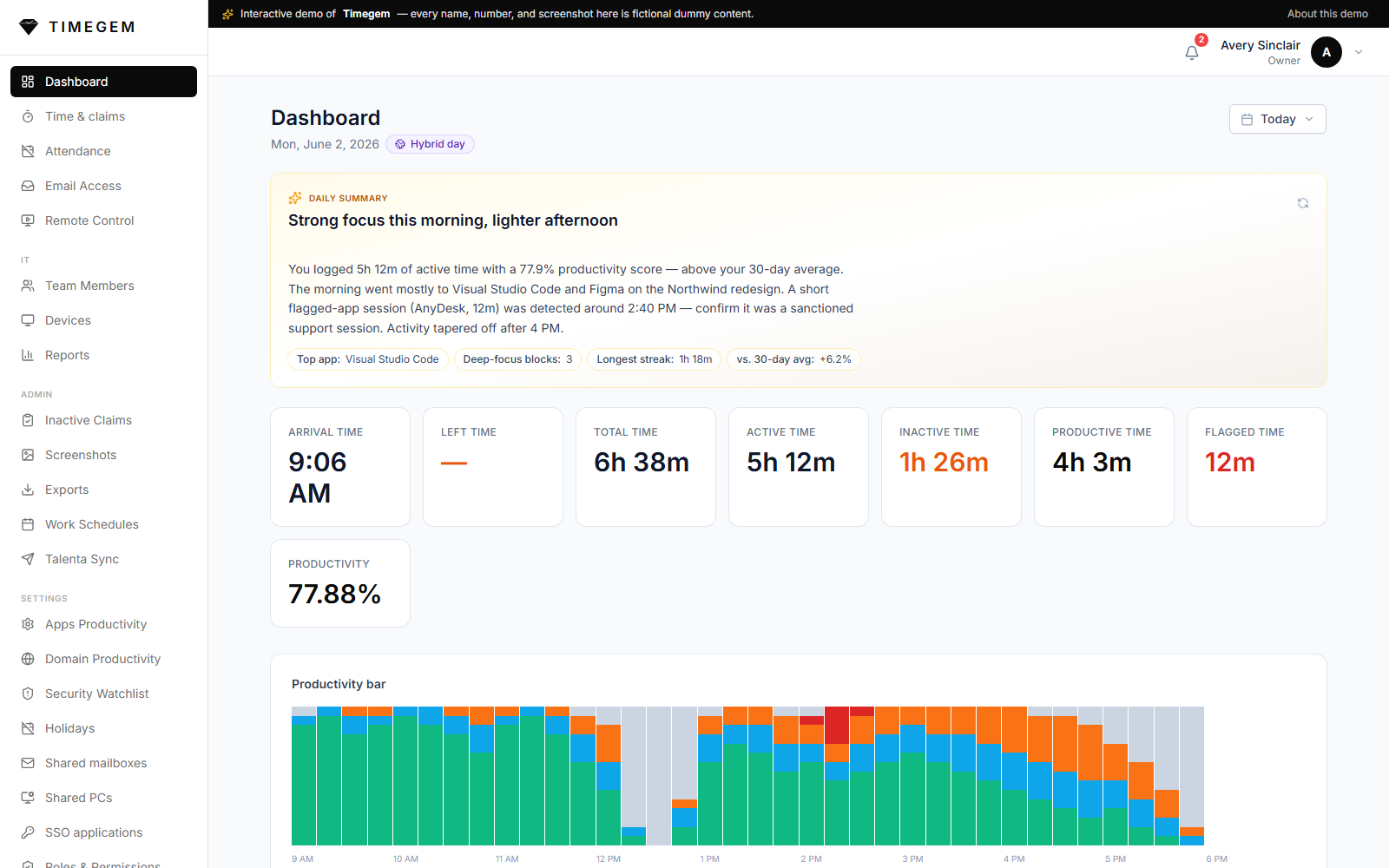
Timegem
A self-hosted workforce platform: attendance, productivity and remote support — with leave, reimbursement and payroll now run in-house.
Finance AI Automation turns every bank statement, supplier invoice and expense export into clean, categorised accounting entries — automatically. Built for finance teams buried in PDFs and manual data entry.
Every month a finance team re-keys hundreds of documents by hand — statements from a dozen banks, supplier invoices, ad platform bills, employee expense exports, tax invoices. It is slow, it is dull, and a single transposed digit becomes a tax problem three months later.
Finance AI Automation reads all of it. It parses each document, categorises every line to the right account, proves each figure against the original before anything moves, and posts clean, tax-correct entries straight to the accounting platform — with a person in the loop for the last two per cent that genuinely needs judgement. Because posting to the books is irreversible, most of the engineering sits in what stops a wrong number from ever arriving: every guard is tested by deliberately corrupting its input, money is never derived by dividing one amount by another, and nothing irreversible happens without someone pressing a button on a screen that showed them exactly what was about to be written.
Case study — built by Agentiq for an anonymised client. The client name, staff, vendors and every figure on this page are fictional sample data; the screens are the real product.
Nine bank statement formats, seven card issuers, supplier invoices, ad platform bills, expense exports and tax invoices — each with its own small reader. Image-only scans are read too, and that is the one place a language model is used.
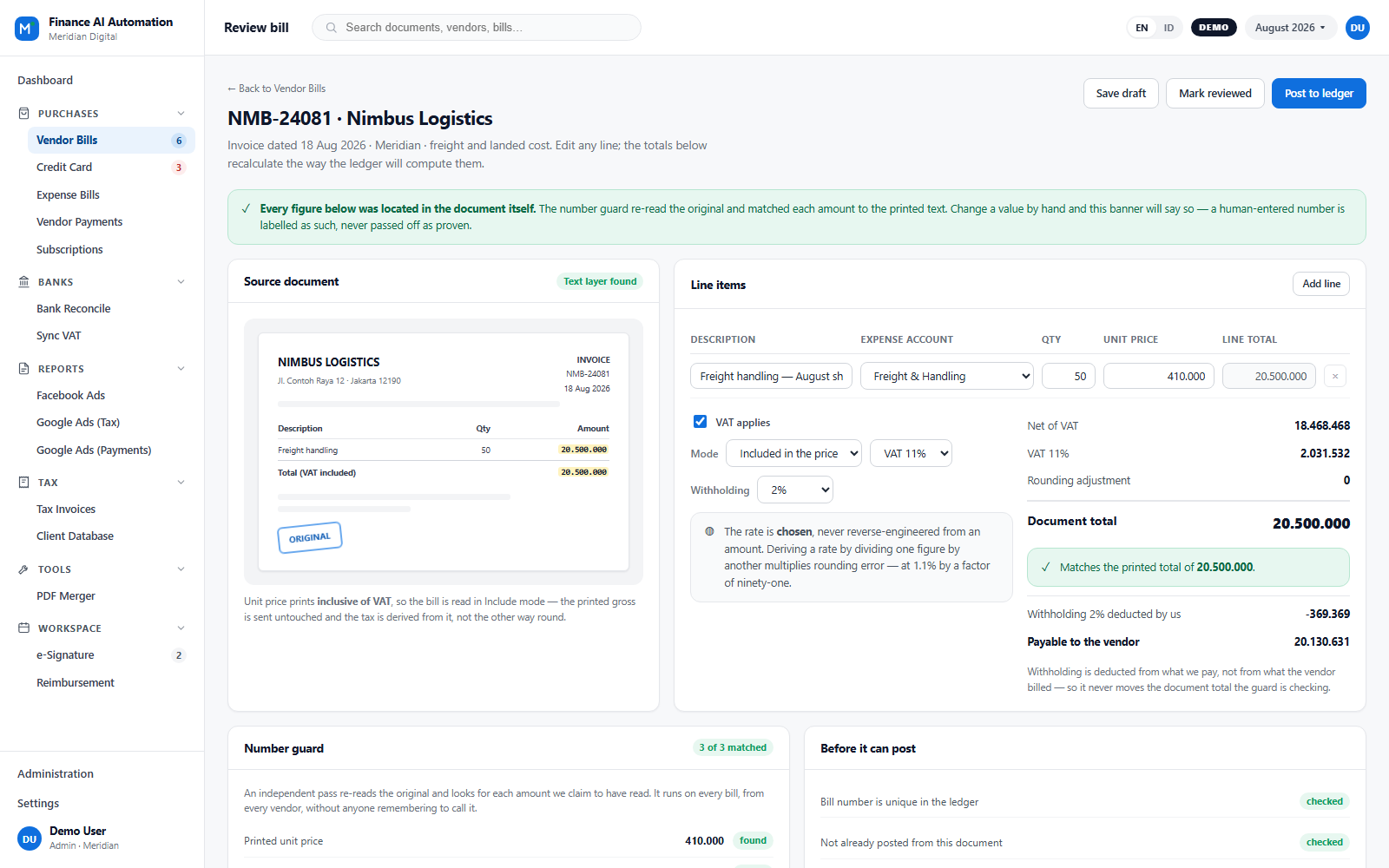
An independent pass re-reads the original and matches every amount to the printed text. A figure that cannot be found is blocked, not rounded away — and a check that could never fail is treated as decoration, not a guard.
One click sends reviewed, tax-correct entries into the accounting platform with the source document attached, so the proof lives next to the entry permanently. No duplicates, and safe to run again.
01
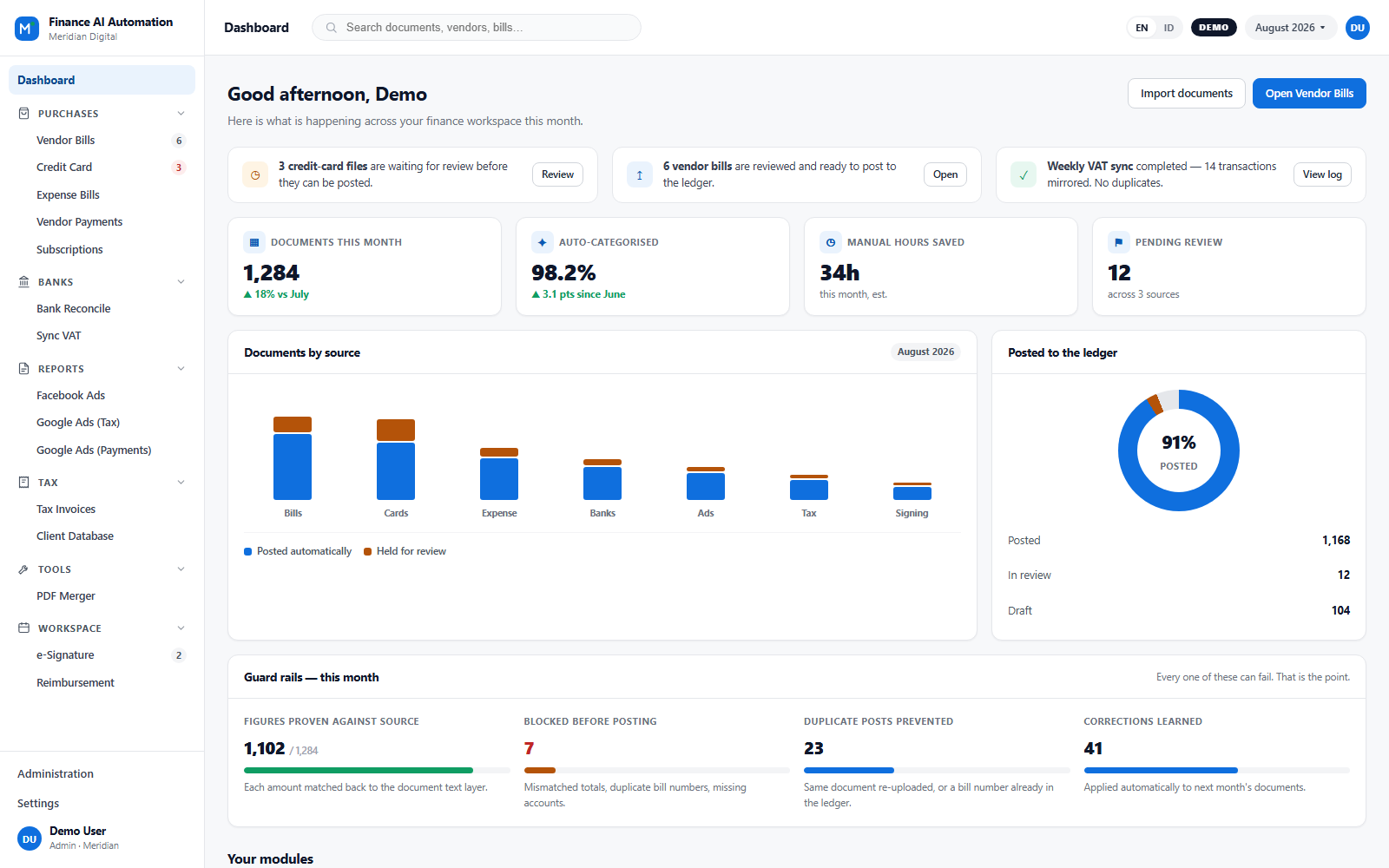
Reminders, processing statistics and charts on a single home screen, with a card for each module: vendor bills, card statements, expense claims, bank reconciliation, tax filings, signatures and subscriptions. You always know what posted, what is waiting, and where each document came from — and a guard-rail panel shows what was blocked this month, not only what succeeded. Access is granted per module, so two people open the same screen and see different rows.
02
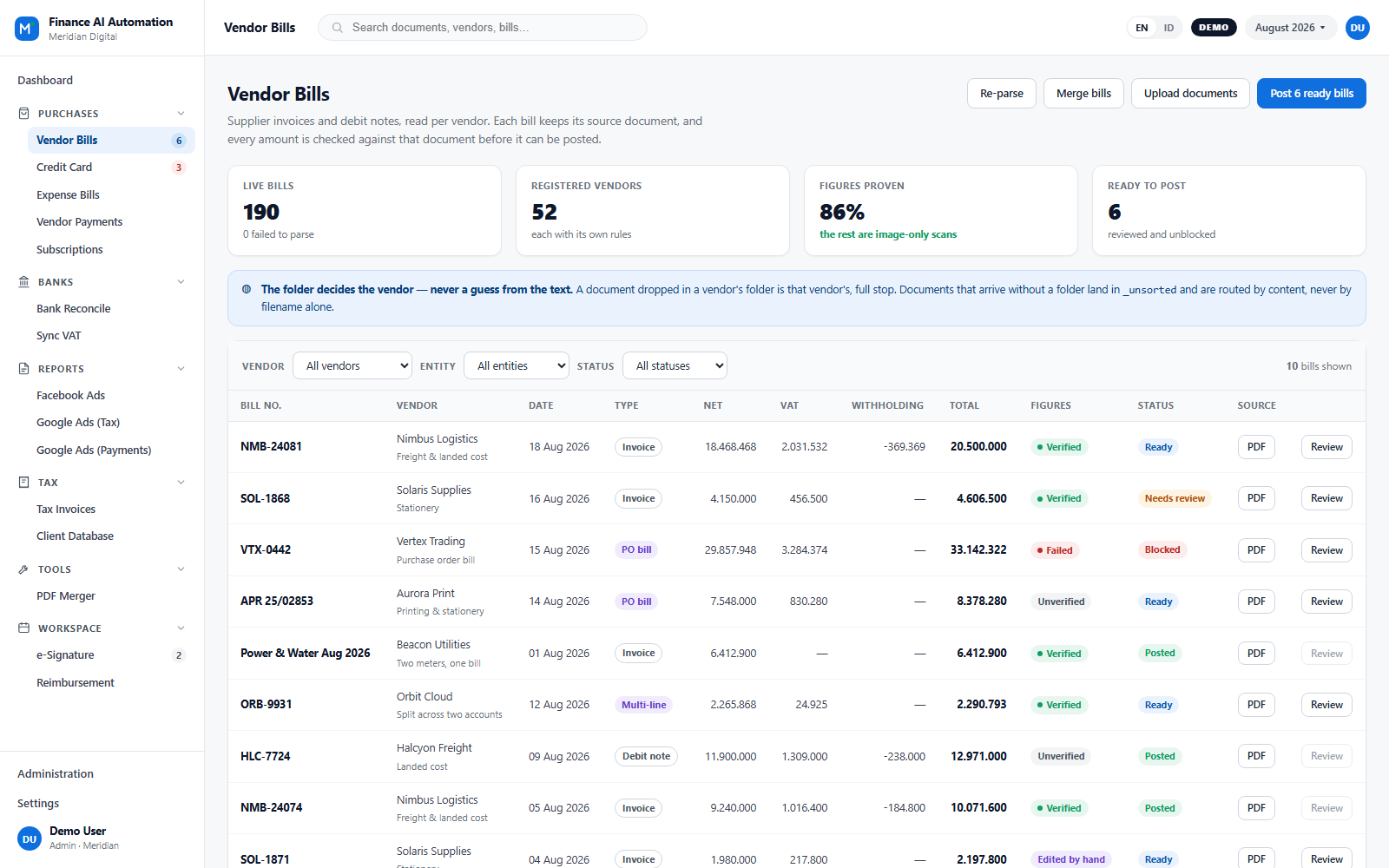
Invoices and debit notes arrive parsed and categorised, filterable by vendor and by legal entity. Open the original in an in-app preview and confirm in seconds. When a bill posts, its source document travels with it into the accounting platform. The input folder decides the vendor — never a guess from the text — and each vendor carries its own default account, tax treatment, line splits and numbering.
03
Edit line items inline, pick accounts from searchable dropdowns, and watch the totals recalculate exactly the way the ledger will compute them — VAT inclusive or exclusive, withholding, rounding adjustment and all. Change one number so it no longer matches the document and the Post button disables itself. Rounding happens once, at line level, and tax rates are chosen from a list rather than reverse-engineered from an amount.
04
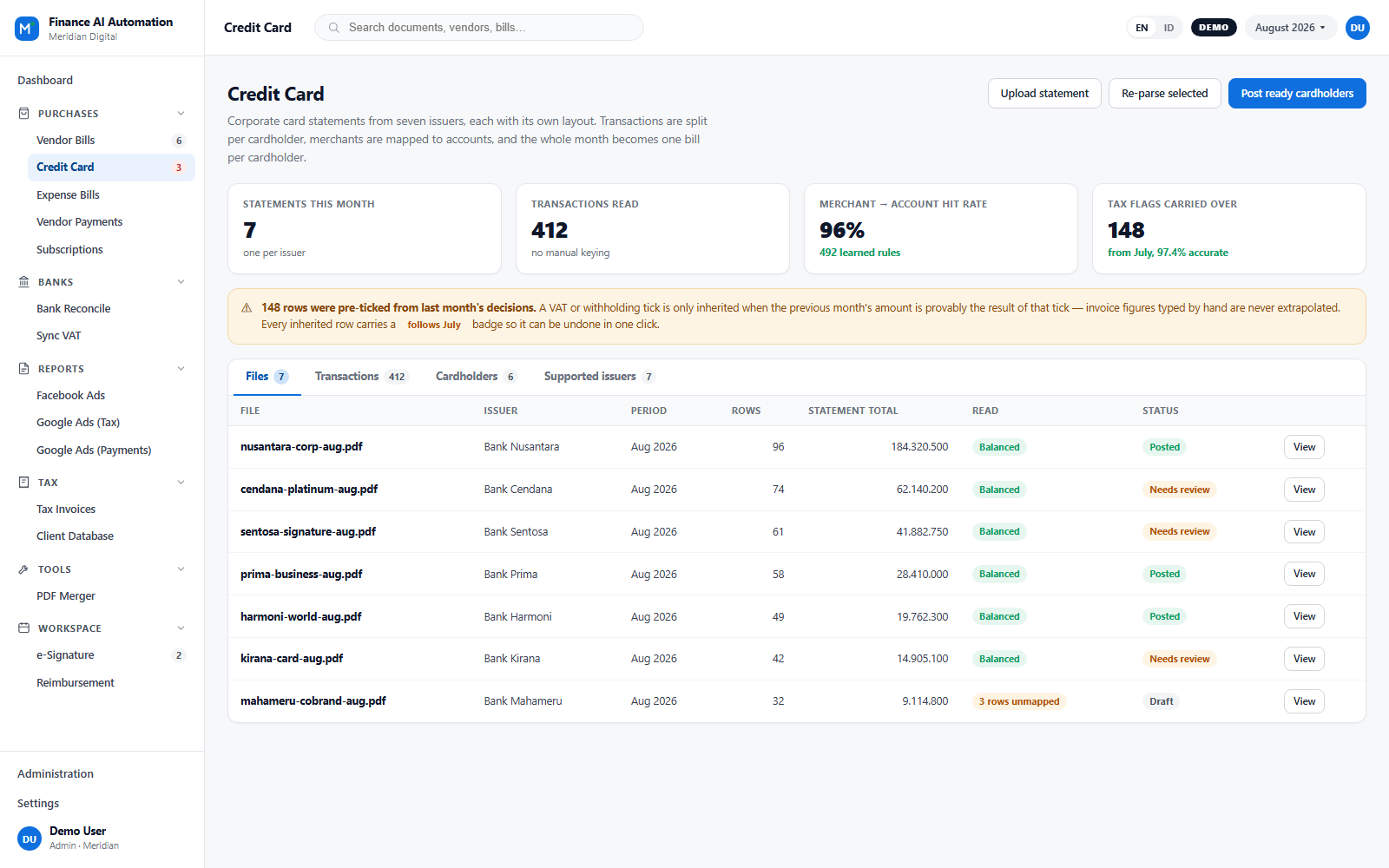
Drop in a statement from any supported issuer. The system detects the bank from the file's contents, parses every transaction, splits shared corporate cards per cardholder, and maps each merchant to the right account — turning a month into one clean bill per cardholder. Tax treatment is inherited from last month only where that is provably safe, and a placeholder account never counts as categorised.
05
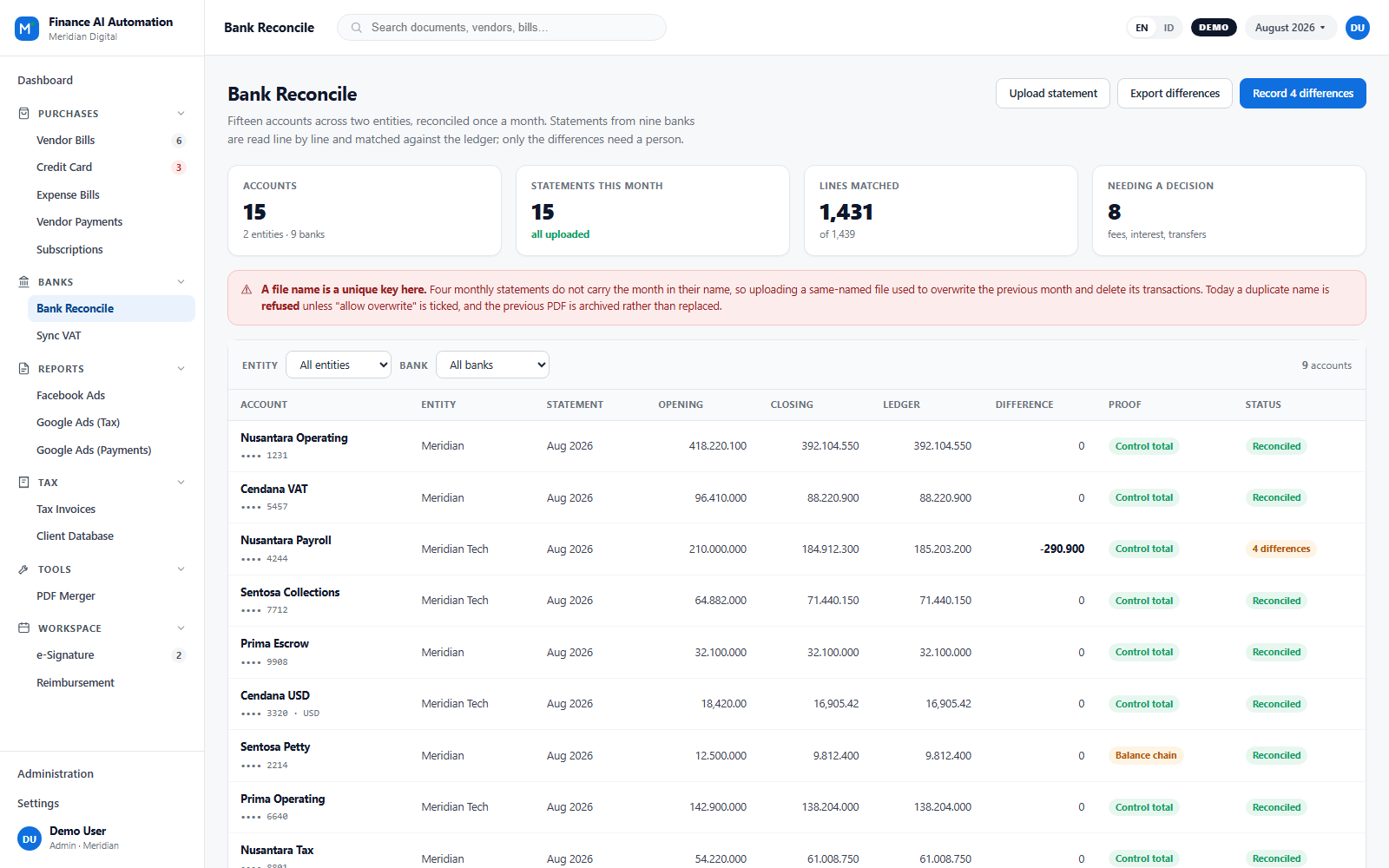
Fifteen accounts across two entities, reconciled monthly. Statements are read line by line and matched against the ledger; only genuine differences reach a person, and they arrive with a suggested treatment. Where a statement cannot be proven, the screen says so instead of showing a reassuring tick — and a weaker, self-referential check is labelled as weaker rather than dressed up as a pass.
06
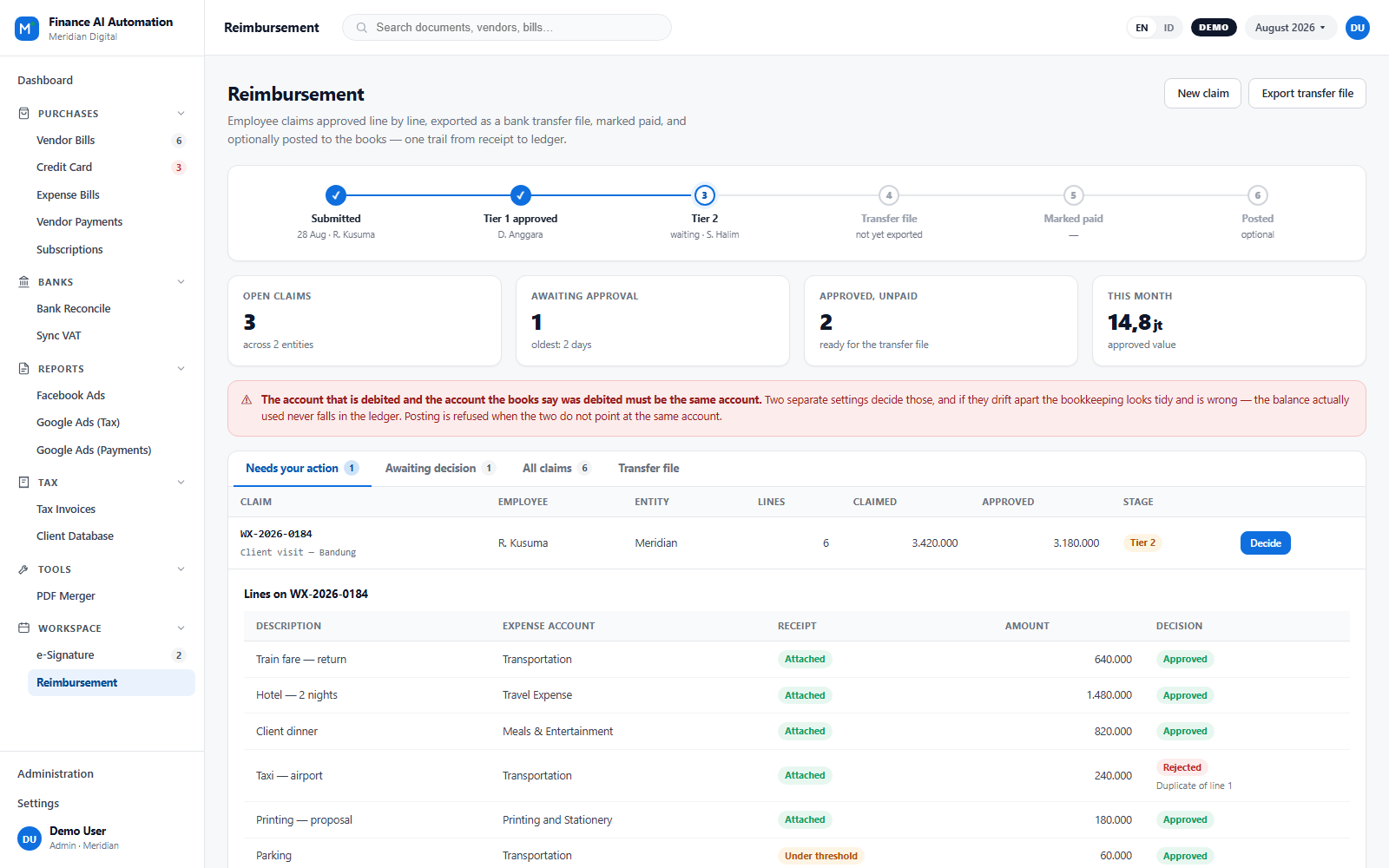
Employees submit claims, approvers decide line by line, and finance exports a bank transfer file, marks it paid and — optionally — books it. One trail from the receipt photo to the ledger entry, with a rail at the top of every claim showing where it is and who is holding it up. Receipts are required above a configurable threshold, and sending a claim back for a fix is a separate action from rejecting it.
A self-hosted workforce platform: attendance, productivity and remote support — with leave, reimbursement and payroll now run in-house.
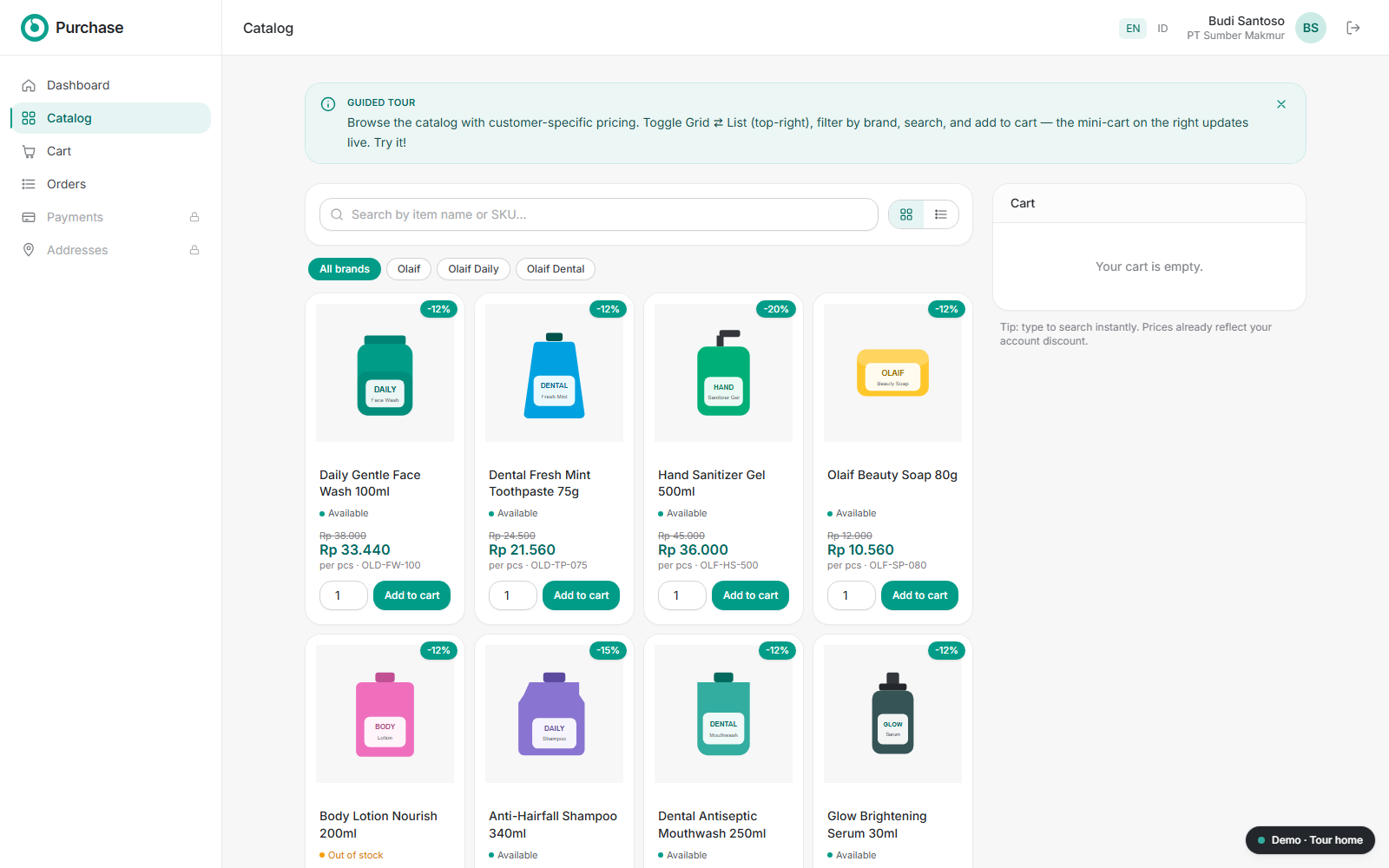
Self-service B2B & distributor ordering portal with per-customer pricing, instant Xendit payments, AI purchase-order capture and real-time Zoho Books sync.
Tell us what you need, and we will help turn it into a real application.